
Success
Oh snap!
Online tests, quizzes, and surveys that engage your audience
Host live quizzes with a leaderboard or collect responses through self-paced surveys—for education, events, marketing, and business.
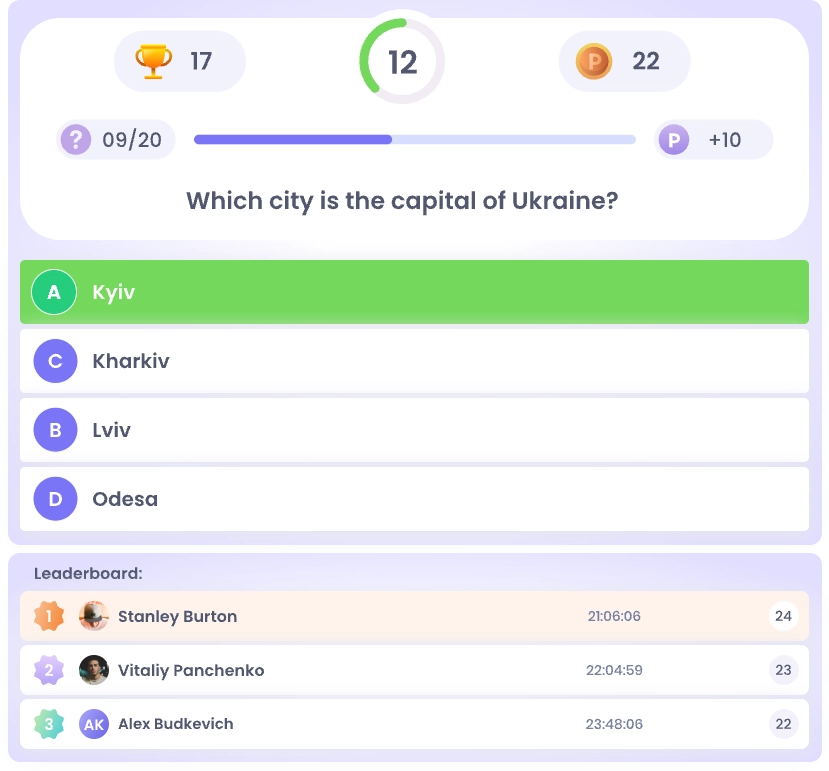

Up to 50 participants for free

Made in Ukraine

Pay in UAH

Interface in 4 languages

NGOs — 6 months free
How it works
Quiz or survey in 4 steps
Your first quiz takes less than ten minutes. Nothing to install—you work in your browser, and so do participants.

Choose a
format
Start with the key question: do you need to test knowledge or gather opinions? Your answer determines the format—and whether it includes points, a timer, and a leaderboard. You can change your choice at any time.

Add
questions
Upload your material and AI will turn it into ready-to-use questions. Or write your own or copy a previous quiz. There is no question limit; set points, time, and translation for each one.

Launch
quiz
Share a link or display a QR code. Or schedule the launch for a specific date—participants will receive an email reminder. You can restrict access by group or domain.

View
results
During a quiz, see the live leaderboard; afterward, review the average score, hardest questions, and who didn’t finish. Surveys provide aggregated responses with group filters.
Features
Everything you won’t find in ordinary survey forms
From question generation to results analytics—all in one place.

Your quiz is different from your neighbor’s
The timer is controlled by the server, not the browser, so it can’t be bypassed. Each participant gets a random selection from the question bank, so no two quizzes are alike.

Your quiz looks like your brand
Brand colors are available on every plan. Participants see your style, not ours; full design customization for your website is available on the Integration plan.
Compare plans
See how everyone answered
See each participant’s results and analyze the questions themselves—which were too easy and which confused people. Data is sent to your CRM or LMS via webhook on the Integration plan.

AI creates the questions
Enter a topic and difficulty level or upload your material—AI will generate a ready-to-use test in seconds and identify the correct answers.

Everyone reads in their own language
The interface supports four languages—UA, EN, DE, and FR. The platform instantly translates your questions without third-party services.

Surveys provide recommendations
Assign weights to answer options and the system will calculate the result and recommend a product or solution. Responses can also be collected anonymously so people can speak freely.
Access
You decide who can take your quiz
A public link, invitations, or a private employee test—all free. Teams get one subscription for the entire organization.

Quiz via link or QR code
Participants join in their browser using a link or QR code. Surveys require no registration; quizzes require an account. You can set start and end times.

Invitation-only survey
Organize participants into groups and send personal email invitations. Only invited people get access, and you can see who has completed the survey.

Employee-only test
Specify your company domains: only people signing in with a work email through Google or with a password can take the quiz. Everyone else is blocked.

Team account for your organization
One subscription for the organization, with colleagues as administrators. Everyone creates their own quizzes and surveys, while billing stays under one account.

Your data stays yours. We never share participants’ responses with third parties or use them for advertising. You can delete a quiz along with all its responses. Learn more in our Privacy Policy.
For platforms
Embed a quiz in your website or LMS
Tests, quizzes, and surveys without the MyQuiz Zone logo, with results delivered via webhook in both options. Available on the Integration plan.

Quiz with your authentication
Your users are already signed in to your platform, so they can open the quiz immediately—without signing in or registering again with us. Each participant’s results are sent to your system automatically.

Quiz with MyQuiz Zone sign-in
Copy the code and paste it into a course or website page—the quiz appears instantly, with no developer needed. Participants sign in to MyQuiz Zone once, and you can view the results in your dashboard.
Who it’s for
Quizzes for education, HR, and business
Lessons and training, corporate events, marketing, and online courses—from a 5-question test to a company-wide survey.

Corporate learning and HR
Test knowledge after training, onboard new hires, or run an anonymous employee survey. Scores and reports are calculated automatically.

Tests for schools and lessons
Students answer on their phones during class, and you immediately see what they’ve learned. Parent questionnaires are also supported.

Conferences and company events
A live quiz between talks, trivia at a company party or birthday. A big-screen leaderboard keeps the audience engaged.

Marketing and sales
A short survey recommends a product to shoppers, and a separate question can collect contact details. It also works for branded promotional quizzes.

Online courses and LMS
Add tests to course lessons without building your own quiz engine. Learners complete assessments without leaving your platform.

Online questionnaires and forms
Event registration, service requests, or anonymous feedback—all in one service with quizzes. Responses are automatically compiled into a report.

Support for the nonprofit sector
Ukrainian NGOs and charities receive the Basic plan free for 6 months. Contact us and we’ll activate access with minimal paperwork.
FAQ
Frequently asked questions about quizzes
Four questions people ask before signing up.

Do participants need to register?
For surveys, no—just open the link. Quizzes require an account so the system can calculate scores and show the leaderboard. The exception is a quiz embedded in your platform using your sign-in.

How many quiz participants are free?
Up to 50 participants per session and 10 quizzes or surveys, with no time limit. Basic at UAH 200/month removes the quiz limit and allows up to 100 participants; Corporate at UAH 1,000/month has no limits.

How is this better than Google Forms?
Google Forms collects responses but can’t run a live event: there’s no timer, scoring, or real-time leaderboard. MyQuiz also offers AI question generation and payments in UAH.

How do you prevent cheating?
Questions are shuffled and each has a time limit. The timer runs on the server and can’t be tampered with. Each participant gets one attempt, and correct answers are shown only after completion.